
Control panel
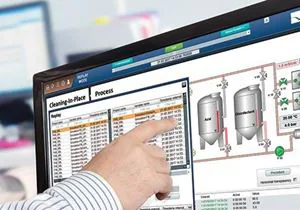
A compact operator workstation for monitoring, process control and factory automation, used as an HMI controller.
The standard choice is selected. Choose what you need.
Specifications
* A guide. The temperature a product runs at depends on how and where it is installed: processor load, airflow and clearance behind it, the cabinet or enclosure it sits in, sunlight and the air around it. One figure cannot cover every installation. Tell us about yours and we will confirm what suits it.
Standard on every Control panel
- RJ45 Ethernet, DB9 RS232 and USB A ports
- PXE boot for thin client applications
- Compact operator workstation
Downloads
Where it is used
- For monitoring and process control, and as an HMI controller in factory automation.
- Standard computer ports, or M12 connectors to automation standards.
- PXE boot for thin client applications.
About the Control panel
The STX Technology control panel series is a compact operator workstation for monitoring and process control, used as an HMI controller in industrial control and factory automation, with fanless options. Ports are standard RJ45 Ethernet, DB9 RS232 and USB A, or M12 connectors to automation standards, with CAN bus, RS485 and high-speed serial as options.
Control panels feature PXE boot for thin client applications, so a plant can run the HMI from a server and keep a tough touch screen at the machine. The hardware is chosen by range and size on its own page; the control-panel options are stated with the quote.
Talk to our New Zealand team.
Tell us where it has to work and what it has to do, for a quick reply.
STX Technology worldwide
Talk to our New Zealand team, with STX Technology in New Zealand, Australia, the UK and North America.